
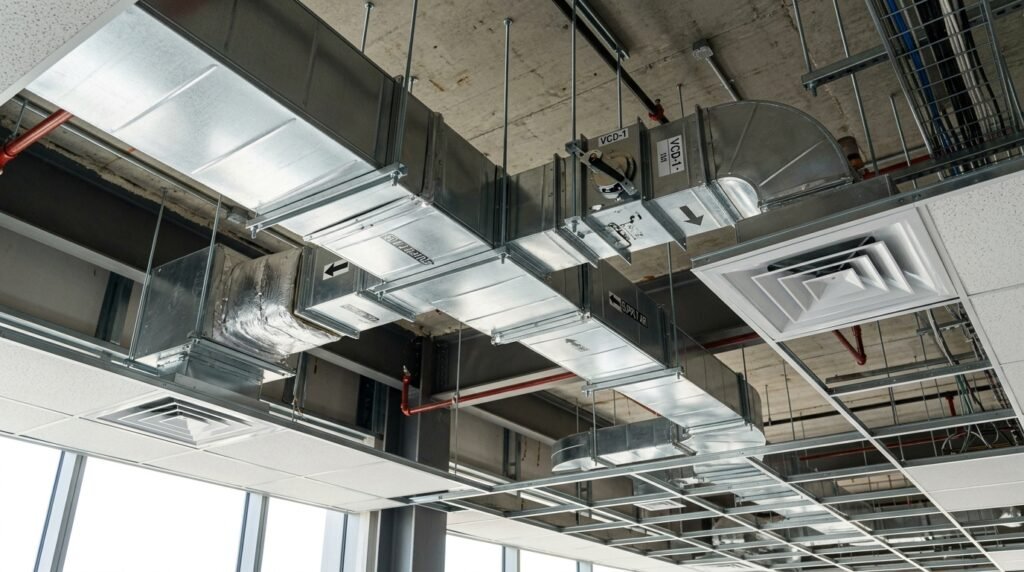
This engineering manual outlines verified diagnostic workflows, mathematical calculations, and safety clearances for Free Duct BOQ & Calculation Tool. Adheres to national and international building standards including ASHRAE 90.1 / ISHRAE.
Table of Contents
Introduction
The Duct BOQ & Calculation Tool by MEP Details is a powerful, easy-to-use web application designed for HVAC engineers, contractors, and MEP professionals to quickly estimate duct quantities with accuracy and efficiency.
This tool allows you to calculate duct surface area, weight, and material requirements for different duct types including straight ducts, elbows, reducers, offsets, and fittings. With built-in SMACNA-based thickness selection, pressure classification, and material-wise density calculation (GI, SS, Aluminum), it ensures reliable results suitable for both site and design use.
Whether you are preparing a Bill of Quantities (BOQ), estimating fabrication weight, or planning project execution, this tool helps you save time and reduce manual errors.
🔧 Key Features:
- Automatic Area & Weight Calculation
- Support for Rectangular & Circular Ducts
- Fittings Included (Elbow, Reducer, Offset, Shoe)
- Pressure-Based Thickness Selection
- Material Selection (GI / SS / Aluminum)
- SQM & SQFT Unit Conversion
- Download Complete BOQ in PDF
body{font-family:Arial;margin:0;background:#f4f6f9;}
.container{max-width:1200px;margin:10px auto;background:#fff;padding:15px;border-radius:10px;}
h2{text-align:center;}
.alert-note{
background:#fff3cd;
border-left:5px solid #ff9800;
padding:10px;
margin-bottom:10px;
}
.topbar{display:flex;gap:10px;flex-wrap:wrap;margin-bottom:10px;}
.topbar select{flex:1;}
.table-wrap{overflow-x:auto;}
table{width:100%;min-width:900px;border-collapse:collapse;}
th{background:#0073aa;color:#fff;}
th,td{border:1px solid #ccc;padding:6px;text-align:center;}
input,select{width:100%;padding:6px;}
button{padding:8px;background:#0073aa;color:#fff;border:none;border-radius:6px;margin-top:5px;}
.total{margin-top:10px;padding:10px;background:#16a34a;color:#fff;text-align:center;}
MEP Details – Duct BOQ Tool
| Type | Size | Length (m) | Qty | Thk (mm) | Area | Weight (Kg) |
|---|
function addRow(){
let tbody=document.getElementById(“tbody”);
let tr=document.createElement(“tr”);
tr.innerHTML=`
Straight
Elbow
Reducer
Offset
Shoe
`;
tbody.appendChild(tr);
}
function calc(el){
let tr=el.closest(“tr”);
let i=tr.querySelectorAll(“input,select”);
let type=i[0].value;
let size=i[1].value.toLowerCase();
let L=parseFloat(i[2].value)||0;
let Q=parseFloat(i[3].value)||0;
let per=0,area=0,max=0;
// RECT
if(size.includes(“x”)){
let p=size.split(“x”);
let w=parseFloat(p[0]);
let h=parseFloat(p[1]);
if(w&&h){max=Math.max(w,h);per=2*((w/1000)+(h/1000));}
}
// ROUND
else{
let d=parseFloat(size);
if(d){max=d;per=Math.PI*(d/1000);}
}
// TYPE
if(type==”straight”) area=per*L*Q;
if(type==”elbow”) area=per*L*Q*1.3;
if(type==”offset”) area=per*L*Q*1.2;
if(type==”reducer”) area=per*L*Q*1.1;
if(type==”shoe”) area=per*Q*1.5;
// THK
let p=document.getElementById(“pressure”).value;
let thk=0.6;
if(p==”medium”) thk=0.8;
if(p==”high”) thk=1;
// WT
let dens=document.getElementById(“material”).value==”gi”?7.85:8;
let wt=area*thk*dens;
// UNIT CONVERT
let unit=document.getElementById(“unit”).value;
let disp=unit==”sqft”?area*10.7639:area;
// OUTPUT
tr.querySelector(“.thk”).innerText=thk.toFixed(2);
tr.querySelector(“.area”).innerText=disp.toFixed(2);
tr.querySelector(“.weight”).innerText=wt.toFixed(2);
totalCalc();
}
function totalCalc(){
let A=0,W=0;
document.querySelectorAll(“#tbody tr”).forEach(tr=>{
A+=parseFloat(tr.querySelector(“.area”).innerText)||0;
W+=parseFloat(tr.querySelector(“.weight”).innerText)||0;
});
let unit=document.getElementById(“unit”).value.toUpperCase();
document.getElementById(“total”).innerText =
“Total Area: “+A.toFixed(2)+” “+unit+” | Total Weight: “+W.toFixed(2)+” Kg”;
}
function recalcAll(){
document.querySelectorAll(“#tbody tr”).forEach(tr=>calc(tr));
}
// PDF
function downloadPDF(){
const { jsPDF } = window.jspdf;
let doc=new jsPDF();
doc.text(“MEP Details – Duct BOQ”,14,15);
let unit=document.getElementById(“unit”).value.toUpperCase();
let rows=[];
document.querySelectorAll(“#tbody tr”).forEach(tr=>{
let t=tr.cells;
rows.push([
t[0].innerText,
t[1].querySelector(“input”).value,
t[2].querySelector(“input”).value,
t[3].querySelector(“input”).value,
t[4].innerText+” mm”,
t[5].innerText+” “+unit,
t[6].innerText+” Kg”
]);
});
doc.autoTable({
startY:25,
head:[[“Type”,”Size”,”Length”,”Qty”,”Thk”,”Area”,”Weight”]],
body:rows,
theme:”grid”,
styles:{fontSize:8},
headStyles:{fillColor:[0,115,170]}
});
let y=doc.lastAutoTable.finalY+10;
doc.text(document.getElementById(“total”).innerText,14,y);
doc.save(“MEP-Duct-BOQ.pdf”);
}
HOW TO USE – DUCT BOQ TOOL
🔷 1. Select Top Settings
🔹 Unit Selection
- SQM → Square Meter
- SQFT → Square Feet
👉 All area results will be shown in the selected unit.
🔹 Pressure Type
- Low Pressure → Normal HVAC ducts
- Medium Pressure → AHU / ventilation systems
- High Pressure → Kitchen exhaust / high velocity systems
👉 This automatically controls duct thickness (gauge) based on SMACNA-style logic.
🔹 Material Selection
- GI (Galvanized Iron) → Standard duct
- SS (Stainless Steel) → Heavy-duty / corrosive areas
- Aluminum → Lightweight ducts
👉 This affects weight calculation (based on material density).
🔷 2. Add a Row
👉 Click “Add Row” to start entering data.
🔷 3. Select Duct Type
Choose the correct type for each item:
- Straight → Normal duct section
- Elbow → Bend (90° / 45°)
- Reducer → Size transition
- Offset → Shifted duct
- Shoe → Branch connection
🔷 4. Enter Size (IMPORTANT)
✔ Rectangular Duct:
500x300
✔ Circular Duct:
400
❌ Do NOT enter:
- 500 * 300
- 400 dia
👉 Use only “Width x Height” or Diameter
🔷 5. Enter Length & Quantity
- Length → in meters
- Qty → number of pieces
👉 Example:
- Length = 10
- Qty = 2
FAQs
1. How do I enter duct size?
You can enter duct size in two formats:
- Rectangular:
500x300(Width x Height in mm) - Circular:
400(Diameter in mm)
2. How is duct area calculated?
The tool calculates duct area based on perimeter × length × quantity.
Different duct fittings (elbow, reducer, offset, etc.) include additional factors for more accurate estimation.
3. Can I switch between SQM and SQFT?
Yes, you can easily switch between SQM (Square Meter) and SQFT (Square Feet) using the unit selector at the top.
The values will automatically update.
4. Why should I use Desktop View on mobile?
For better usability and accurate data entry, it is recommended to use this tool in Chrome Desktop View on mobile devices.
Calculate Exact Formulas for Your Plant Capacity
Need calculations adapted to your exact chiller tonnage, transformer kVA, or fire pump head? Our AI Engineering Specialist is available 24/7 with instant mathematical formulas and code verification.